

Following Signal Inputs and Model Inputs, another Signal API has landed in the Angular ecosystem with the release of v17.2.0: Signal Queries.


Signal Queries offer an alternative approach to the decorator-based queries, namely @ViewChild, @ViewChildren, @ContentChild and @ContentChildren, supplying query results as a Signal.
With queries you can retrieve references to components, directives, DOM elements, and more. Let’s see what has changed with Signal Queries.
⚠️ ALERT: new Signal Queries are still in developer preview ⚠️
View queries
View queries allow you to retrieve and interact directly with elements in a component’s own template, also known as view.
Both @ViewChild and @ViewChildren now have a Signal counterpart.

viewChild
Using the new viewChild function you can retrieve a single element:
import { Component, ElementRef, Signal, viewChild } from '@angular/core';

@Component({
  selector: 'my-component',
  standalone: true,
  template: '<input #inputEl />',
})
export class MyComponent {
  inputElement: Signal<ElementRef | undefined> = viewChild('inputEl');
}
Code language: TypeScript (typescript)
This function accepts every parameter that @ViewChild supports and offers the same functionalities, providing you deliver the query result as a Signal.
When a query does not find any result its value is undefined, this happens commonly using Control Flow statement like @if and @for.
Because of this, a viewChild Signal value type is ElementRef | undefined.
If you are sure about the presence of at least one matching result, you can use the dedicated viewChild.required() function and get rid of undefined:
import { Component, ElementRef, Signal, viewChild } from '@angular/core';

@Component({
  selector: 'my-component',
  standalone: true,
  template: '<input #inputEl />',
})
export class MyComponent {
  inputElement: Signal<ElementRef> = viewChild.required('inputEl');
}
Code language: TypeScript (typescript)
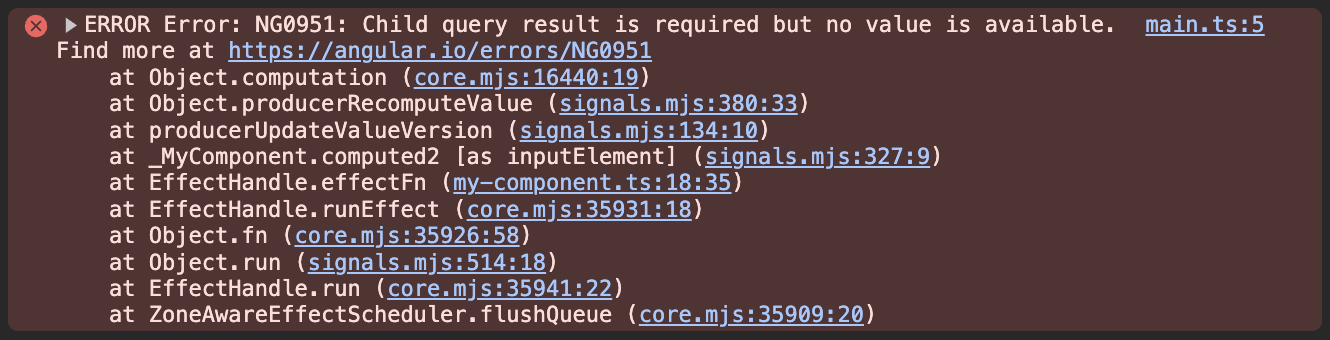
But be careful, when a required query fails to find any results, Angular throws a dedicated error:
viewChildren
Using the new viewChildren function you can retrieve multiple elements:
import { Component, ElementRef, Signal, viewChildren } from '@angular/core';

@Component({
  selector: 'my-component',
  standalone: true,
  template: `
    <input #inputEl />

    @if (showSecondInput) {
      <input #inputEl />
    }
  `,
})
export class MyComponent {
  showSecondInput = true;

  inputElementList: Signal<readonly ElementRef[]> = viewChildren('inputEl');
}
Code language: TypeScript (typescript)
Similarly to viewChild API, the viewChildren function accepts every parameter that @ViewChildren supports and offers the same functionalities, providing you the query result as a Signal.
When a viewChildren query does not find any result, its value is an empty array, this guarantees the results array to be always initialized.
Content queries
Content queries allow you to retrieve and interact directly with elements in a component’s content.
A component’s content is represented by the elements provided through content projection, nesting elements inside the component tag in the template where it is used. For example:
<my-component>
  <span> Hello ;) </span>

  <input #inputEl />
</my-component>
Code language: HTML, XML (xml)
Note: apart for the target template where the queries are performed, content queries APIs and view queries APIs work identically.
Because of that the next section of the article totally relies on the previous one.
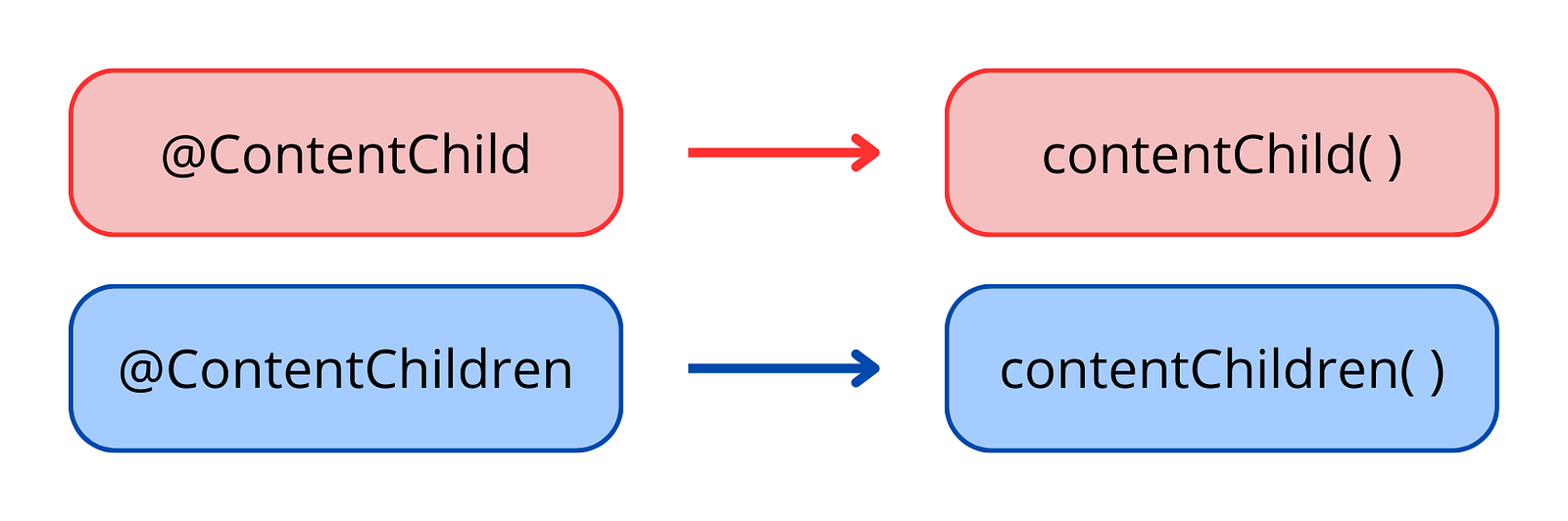
Similarily to our previous discussion on view queries, both @ContentChild and @ContentChildren now have as well a Signal counterpart.
contentChild
Using the new contentChild and contentChild.required() functions you can retrieve a single element:
import { Component, contentChild, ElementRef, Signal } from '@angular/core';

@Component({
  selector: 'my-component',
  standalone: true,
  template: `
    <div>
      <ng-content />
    </div>
  `,
})
export class MyComponent {
  inputElement: Signal<ElementRef | undefined> = contentChild('inputEl');

  inputElementReq: Signal<ElementRef> = contentChild.required('inputEl');
}
Code language: TypeScript (typescript)
Identically to the viewChild function, when a required contentChild function query fails to find any results, Angular throws a dedicated error:

contentChildren
Using the contentChildren function you can retrieve multiple elements:
import { Component, contentChildren, ElementRef, Signal } from '@angular/core';

@Component({
  selector: 'my-component',
  standalone: true,
  template: `
    <div>
      <ng-content />
    </div>
  `,
})
export class MyComponent {
  inputElementList: Signal<readonly ElementRef[]> = contentChildren('inputEl');
}
Code language: TypeScript (typescript)
Identically to the viewChildren function, when a contentChildren query does not find any result, its value is an empty array.
Some rules you need to be careful
These new functions, viewChild, viewChildren, contentChild and contentChildren, only work if used to declare queries by initializing a component or a directive property.
Calling them outside of component and directive property initialization will produce no error, but the query will not find any result:
import { Component, ElementRef, Signal, viewChild } from '@angular/core';

@Component({
  selector: 'my-component',
  standalone: true,
  template: `
    <div #el></div>
  `,
})
export class MyComponent {
  el = viewChild('el'); // It works!

  constructor() {
    const myEl: Signal<undefined> = viewChild('el'); // No error
    console.log(myEl()); // undefined
  }
}
Code language: TypeScript (typescript)
Signal Queries vs Decorator Queries
Having the query results as Signals means that we can compose them with other Signals, using computed and effect functions.
This is a significant advantage, as it enhances the flexibility and functionality of our codebase, leading the way to all the improvements in change detection that Signals brought to the framework.
In addition to that, Signal Queries offer other benefits:
- More predictable timing: query results are accessible as soon as they’re available;
- Simpler API surface: every query result is provided as a Signal, and queries with multiple results (
viewChildrenandcontentChildren) return always a defined array; - Improved type safety: cases with
undefinedas possible result are fewer, thanks torequired()functions and default array for multiple results; - More accurate type inference: TypeScript can infer more accurate types when a type predicate is used or when you specify a
readoption; - Lazier updates: as for all Signals, Angular updates query results lazily. This means that the read operation is performed only when your code explicitly reads the query results.
Thanks for reading so far 🙏
I’d like to have your feedback so please feel free to contact me for any. 👋
Then, if you really liked it, share it among your community, tech bros and whoever you want. 👋😁